

Errors or black screen after uploading sample programs in the HMI advance esp32-s3 series

If you encounter Errors or a black screen after uploading sample programs in the HMI advance esp32-s3 series. Possibly some steps below are not correct, pls follow these:
ESP32 should install version 3.0.2.
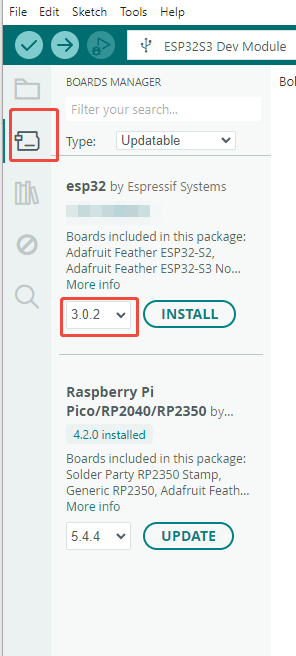
follow this tutorial(as in the image below ) to replace the ESP32S3_120M file.
In addition, please install the 3.0.2 version of esp32 by Espressif Systems first. Then replace the ESP32S3_120M file.
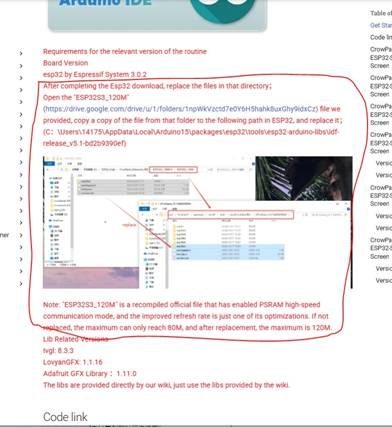
(from: https://www.elecrow.com/pub/wiki/HMI_Display_course.html#version-12_1 )
- The configurations in the Arduino IDE-->Tools can only be set according to the following links .
(pls view the link according to the sku of your device. If you do not know sku, you can search and find it on our website:
www.elecrow.com
)
(1)if your device is CrowPanel DIS02050A 5":
Pls follow the steps in the content in the section "3.5 Configure the burning environment" :
(2)if your device is CrowPanel DIS02170A 7'':
Pls follow the steps in the content in the section "3.5 Configure the burning environment" :
https://www.elecrow.com/pub/wiki/1_Introduction_to_CrowPanel-Advance-HMI_Screen_V13.html#35-configure-the-burning-environment
(3)if your device is CrowPanel DIS01943A 4.3'':
Pls follow the steps in the content in the section "3.5 Configure the burning environment" :
https://www.elecrow.com/pub/wiki/1_Introduction_to_CrowPanel-Advance-HMI_Screen_V13.html#35-configure-the-burning-environment
4. Use the library files we provide:
(1) Download the libraries we modified.
A. if your device is CrowPanel DIS02050A 5":
download libraries from:
https://github.com/Elecrow-RD/CrowPanel-Advance-5-HMI-ESP32-S3-AI-Powered-IPS-Touch-Screen-800x480/tree/master/libraries
B. if your device is CrowPanel DIS02170A 7'':
download libraries from:
https://github.com/Elecrow-RD/CrowPanel-Advance-7-HMI-ESP32-S3-AI-Powered-IPS-Touch-Screen-800x480/tree/9458f2fcf14b806173fc91f903484f415a674b8c/libraries
C. if your device is CrowPanel DIS01943A 4.3'':
download libraries from:
https://drive.google.com/drive/folders/1npWkVzctd7e0Y6H5hahk8uxGhy9idxCz
(pls choose the files for 4.3 inch device)
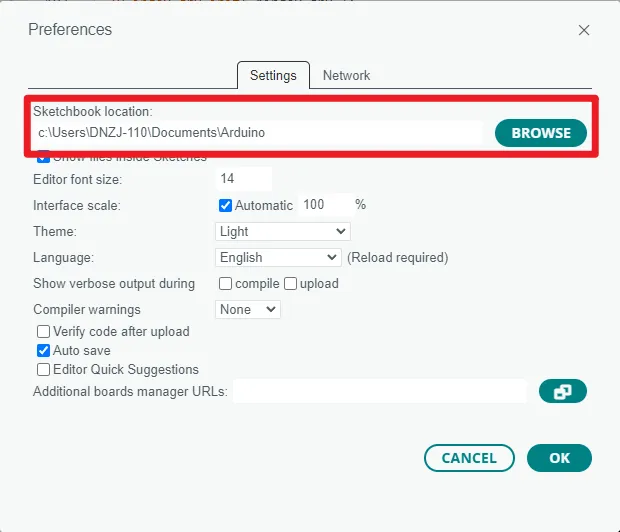
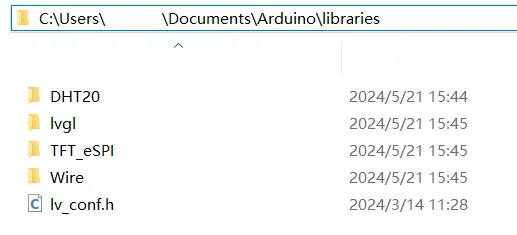
(2) Then click "File" -> "Preferences" -> "Setting" to check the sketchbook location. Place the downloaded libraries in the corresponding location. Also, pls donot upgrade the libraries.
Example images: (may be different from the actual ones)
- Use the proper example codes.
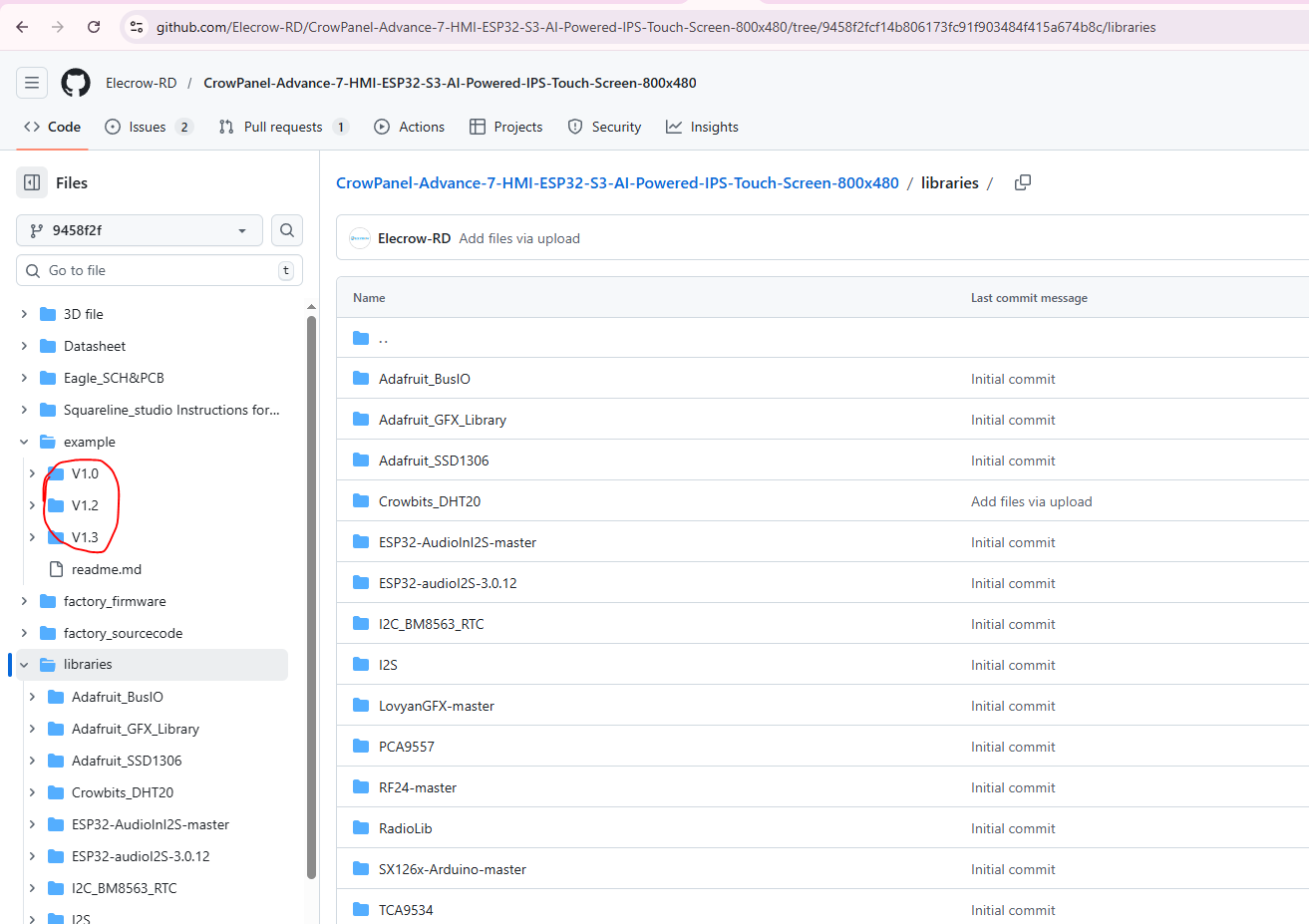
For some sample codes, we have different versions adapted to different hardware versions.
So pls use the sample codes corresponding to the hardware version of your device.
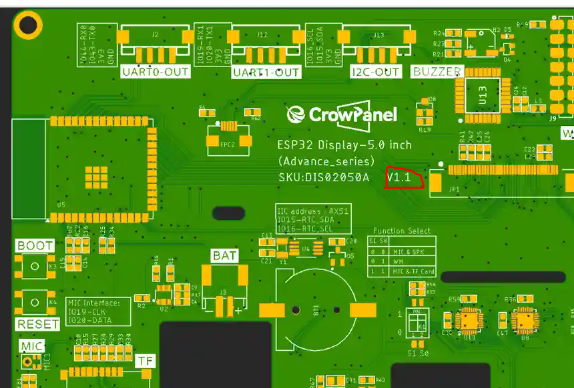
Example for hardware version on the device :
Example for the hardware version marks for which the code is applicable:
- If there are still issues, please post screenshots of any error messages you encounter and send them to us for a look.