

phones and laptops can not connect to Thinknode M1

Question:
attempting to connect it to his phone, his mothers phone, my phone, a laptop, a PC, and another windows based laptop all these devices would not pair / connect. The devices screen will not work,
Answer:
Please check the following:
Confirm that the device is powered on, pls refer to the image below
[Photo][Photo]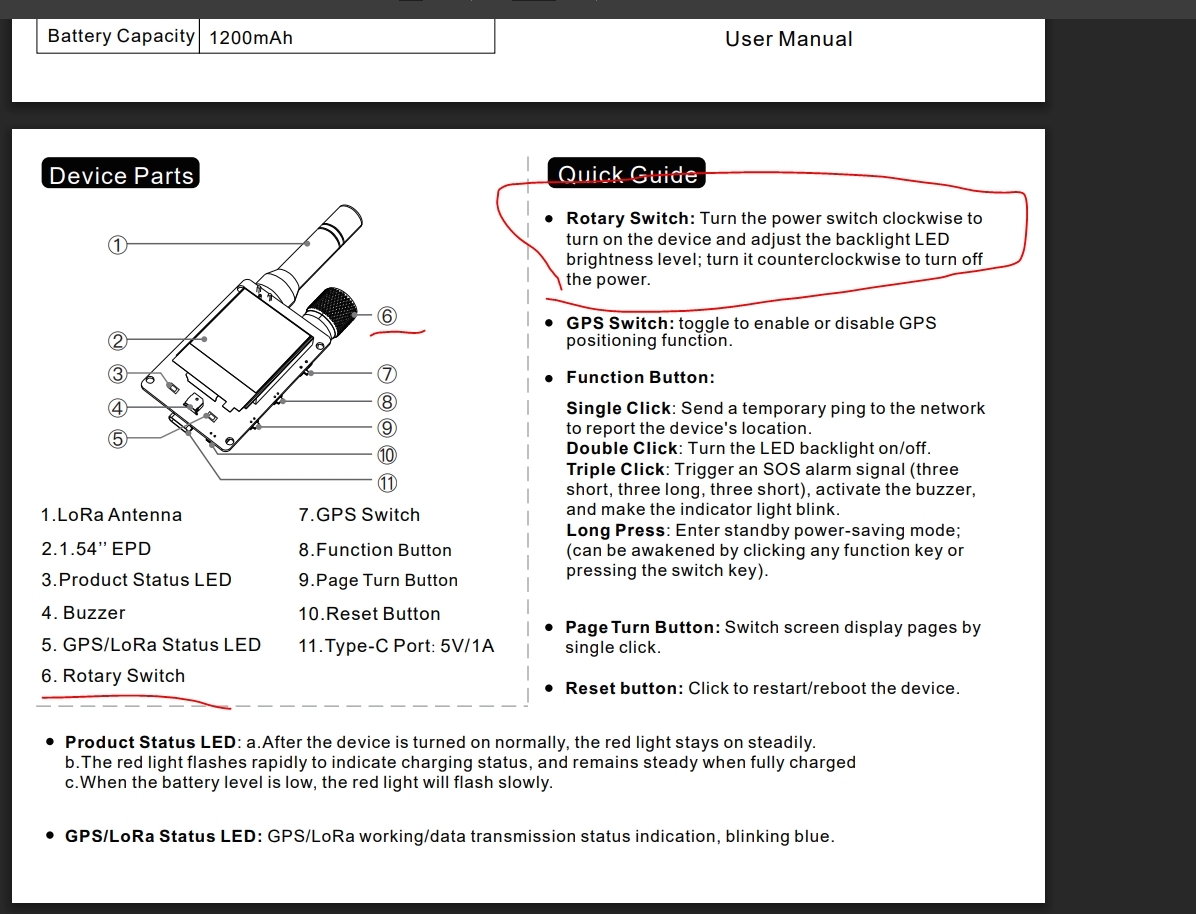
Connect the device to a USB cable and see if the indicator light turns on.
3. If the problem persists, please shoot a video and send it to us so that we can further analyze the issue. The video should include the complete operation/test process as well as the problem/fault phenomenon.
If the video is too large, pls upload it to a platform(like Google Drive), then send the link to us.