
DHE04005D, the touch function is not working.

Please download our factory firmware for the device to test whether the touch function works correctly:
https://github.com/Elecrow-RD/-CrowPanel-Advanced-5inch-ESP32-P4-HMI-AI-Display-800x480-IPS-Touch-Screen/tree/master/factory_firmware
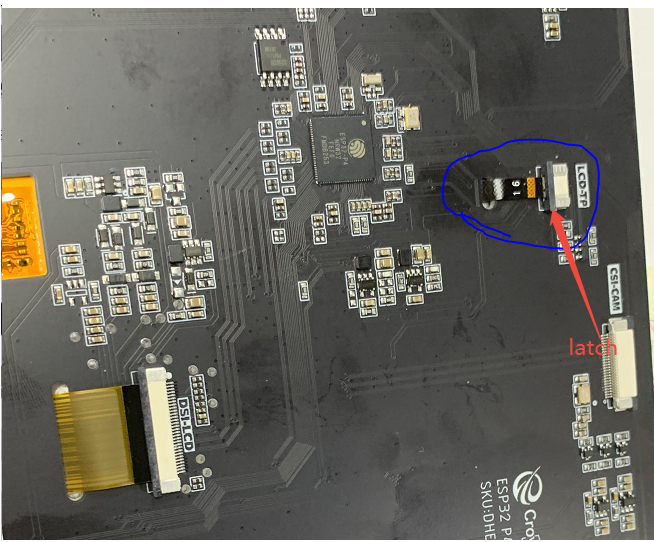
If the issue persists, please check and reseat the touch ribbon cable by following these steps:
-First, flip the black latch down from both sides to unlock it.
-Then, reinsert the ribbon cable properly.
-Finally, flip the latch back up from both sides to lock it.
Please also take a photo of the touch ribbon cable and send it to us for analysis.
The touch ribbon cable is blue-circled in the image below: